Table of contents
How to Make 2FA Required or Optional
By default, 2FA is optional after you enable it. You can make it required for all future logins to increase account security.
Prerequisites: You must have at least one 2FA method active (passkey or authenticator app)
Make 2FA Required
1. Navigate to your user profile and click the 'Two Factor' tab.
2. Under '2FA Status', you will see a 'Make Required' button.
3. Click 'Make Required'.
4. Confirm the action in the dialog that appears.
5. 2FA will now be required for all future logins.
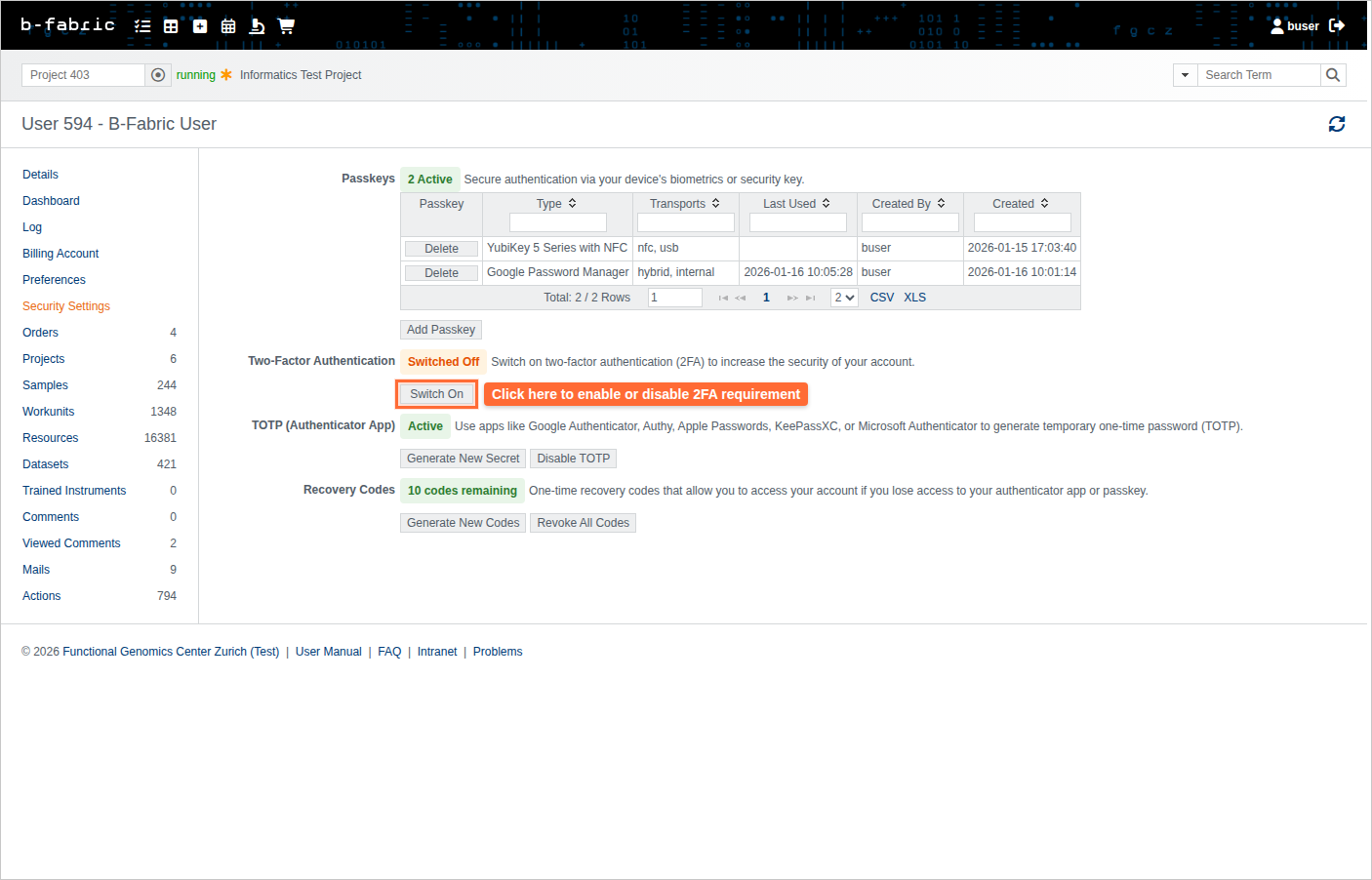
Make 2FA Optional
- Navigate to your user profile and click the 'Two Factor' tab.
- Under '2FA Status', you will see a 'Make Optional' button.
- Click 'Make Optional'.
- Confirm the action in the dialog that appears.
- 2FA will now be optional (but still recommended for account security).
Important Notes
- If 2FA is required, you cannot disable all your 2FA methods
- Always keep recovery codes available before making 2FA required
- Recommended: Keep 2FA required for maximum account security