Table of contents
How to Set Up Authenticator Apps (TOTP)
Authenticator apps generate time-based codes for two-factor authentication. You can use Google Authenticator, Apple Password Manager, Microsoft Authenticator, Authy, or any TOTP-compatible app.
Set Up Authenticator App
1. Navigate to your user profile and click the 'Two Factor' tab.
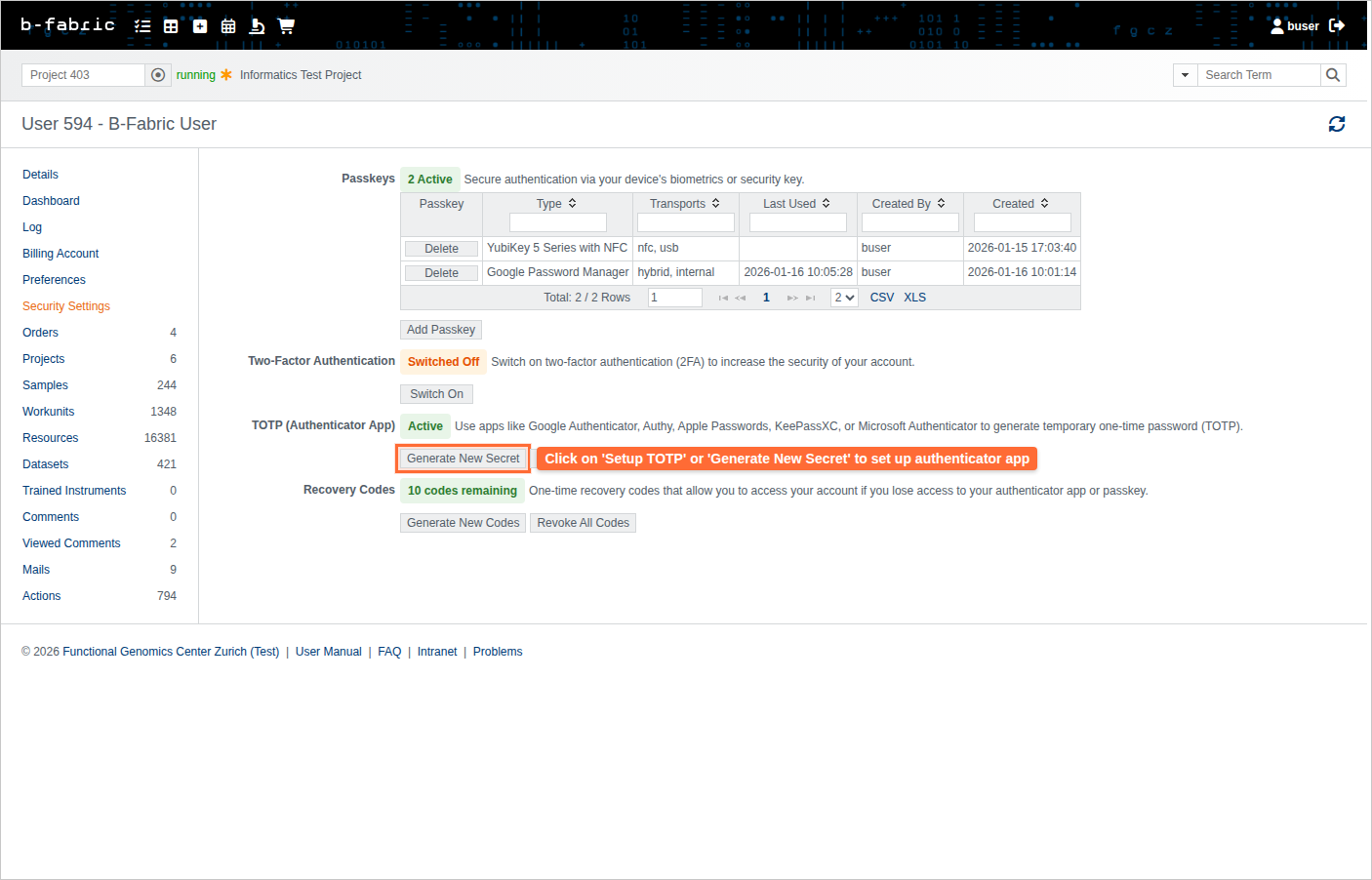
2. Under 'Authenticator App (TOTP)', click 'Set Up Authenticator'.
3. Scan the QR code with your authenticator app, or manually enter the secret code.
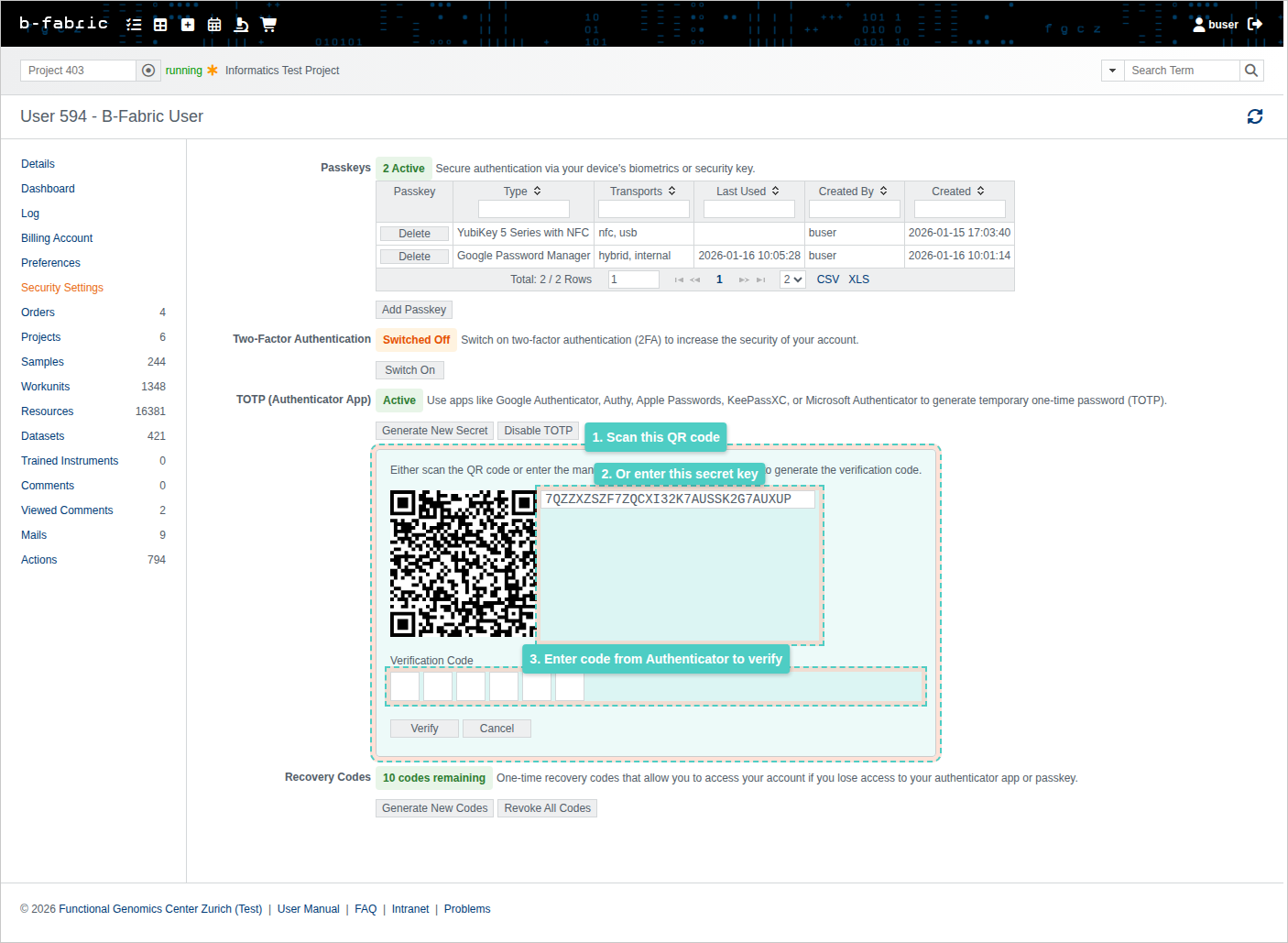
- Enter the 6-digit code from your authenticator app and click 'Verify'.
Use an Authenticator App (TOTP) to Login
1. Go to the B-Fabric login page and enter your username and password.2. After submitting, you'll be taken to the 2FA authentication page.
3. Open your authenticator app (Google Authenticator, Authy, Apple Passwords, KeePassXC, or Microsoft Authenticator) to get your 6-digit verification code.
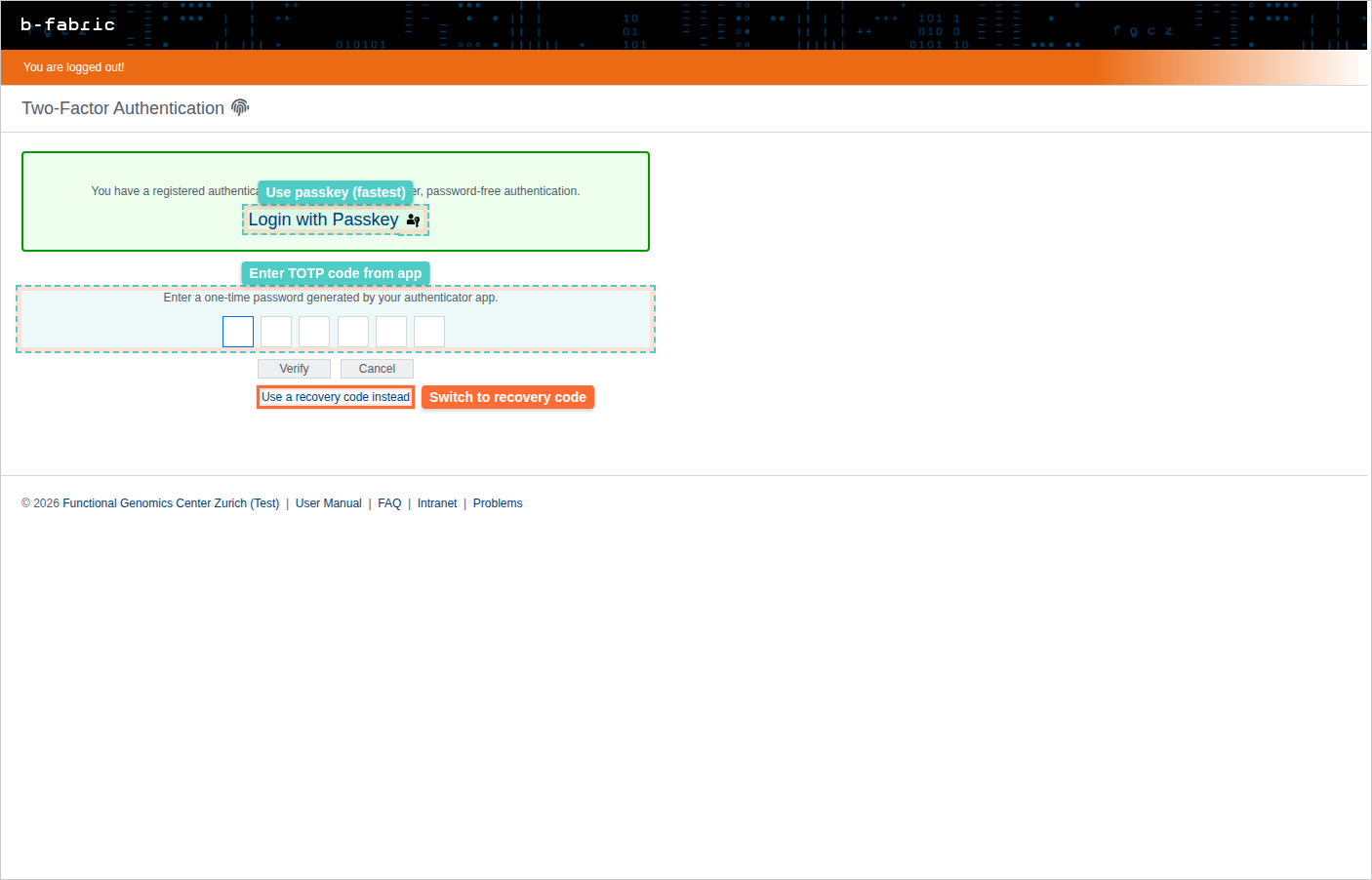
4. Enter the 6-digit code in the TOTP code field.
5. Click Verify or press Enter.
6. You'll be logged in securely with two-factor authentication.
Tip: If you have a passkey registered, you can skip entering the code by clicking "Use Passkey" on the 2FA page for faster authentication.
Reset Authenticator App
If you lost access to your authenticator app or got a new phone:
1. Navigate to your user profile and click the 'Two Factor' tab.
2. Under 'Authenticator App (TOTP)', click 'Generate New Secret'.
3. Confirm the action. A new QR code and secret will be generated.
4. Add the new code to your authenticator app and verify.
Remove Authenticator App
1. Navigate to your user profile and click the 'Two Factor' tab.
2. Under 'Authenticator App (TOTP)', click 'Disable'.
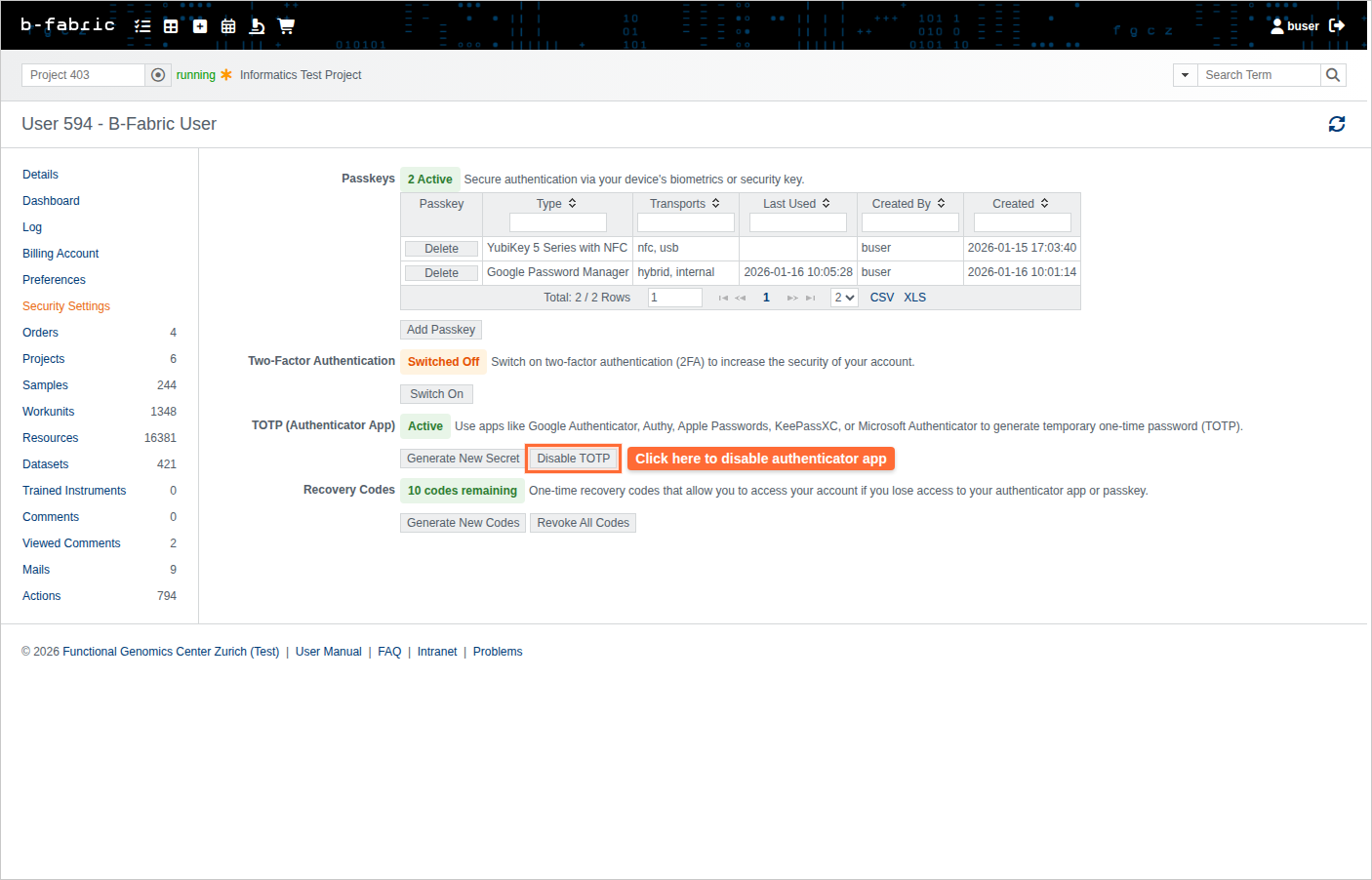
3. Confirm the removal.
Note: You cannot disable TOTP if you have no other 2FA method and no recovery codes.
Authenticator Apps
Mozilla Browser Add-Ons
- Authenticator Add Ons
- these run inside the Firefox browser.
- if you are logged in to Mozilla these are synced with all your Firefox browsers
Microsoft Edge Add-Ons
- Authenticator Add-Ons
- these run inside Microsoft Edge
- if your browser is logged in to a Microsoft Account (UZH or ETHZ) these are synchronized with all your Edge browsers
Google Chrome Webstore
- Authenticator Add-Ons
- these run inside Google Chrome
- if your browser is logged in to a Google Account these are synchronized with all your Chrome browsers
Android
- Authenticator Apps
- there are several Authenticator Apps (TOTP) for Android. You might already have one on your device.
- Microsoft Authenticator
- Google Authenticator
- Authy
- Aegis
Apple
- The built in password manager also suports TOTPs.
- Authenticator Apps
- there are nearly the same as with Android. You might already have one on your device
Desktop Apps
- KeepassXC - password manager with TOTP and Passkey for all common operating systems