Table of contents
How to Generate and Manage Recovery Codes
Recovery codes are one-time backup codes that allow you to access your account if you lose your primary 2FA method.
Generate Recovery Codes
1. Navigate to your user profile and click the 'Two Factor' tab.
2. Under 'Recovery Codes', click 'Generate New Codes'.
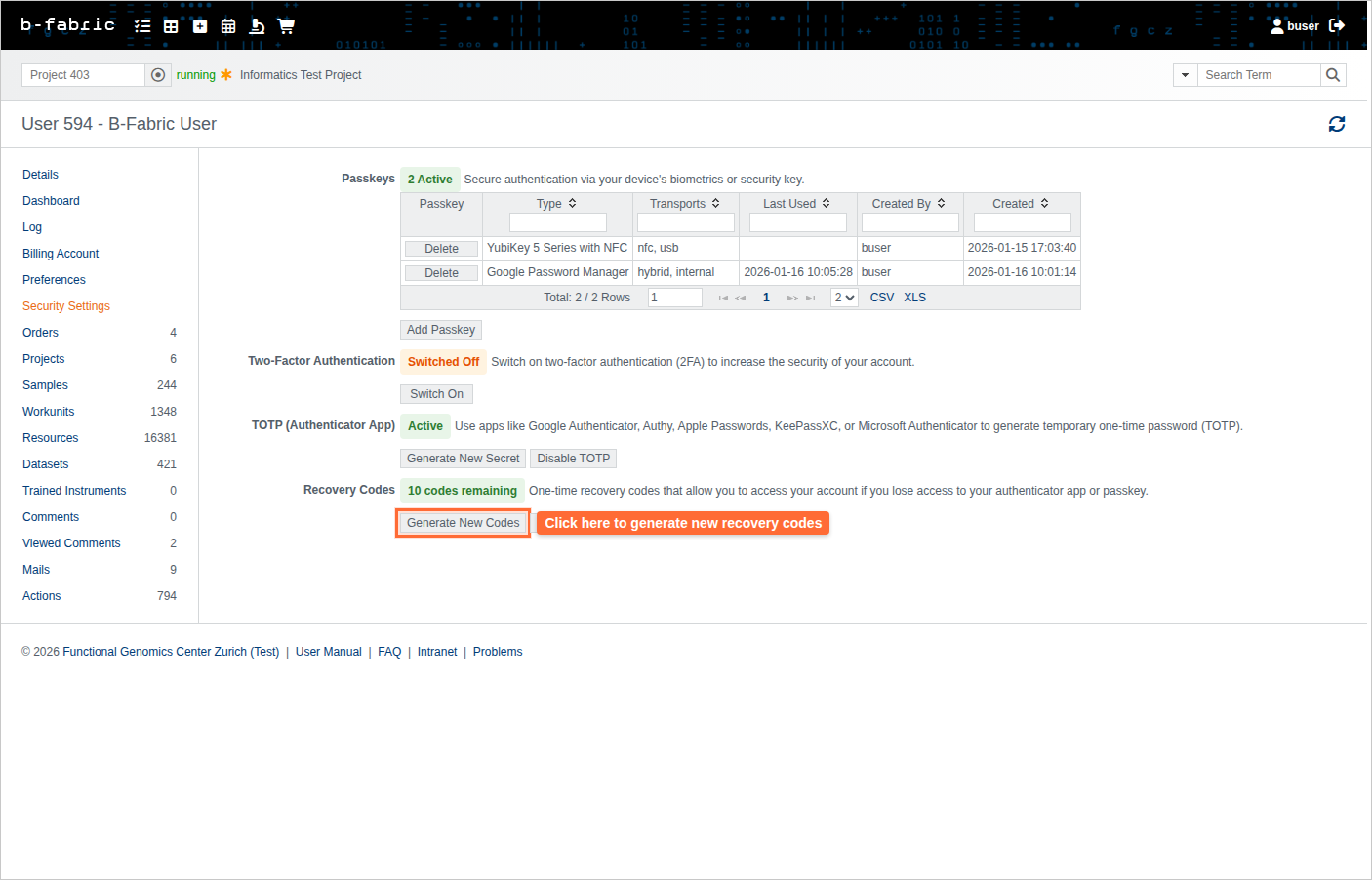
3. If you already have recovery codes, confirm that you want to replace them.
4. 10 new recovery codes will be displayed. Save them immediately in a secure location (password manager, encrypted file, or print them).
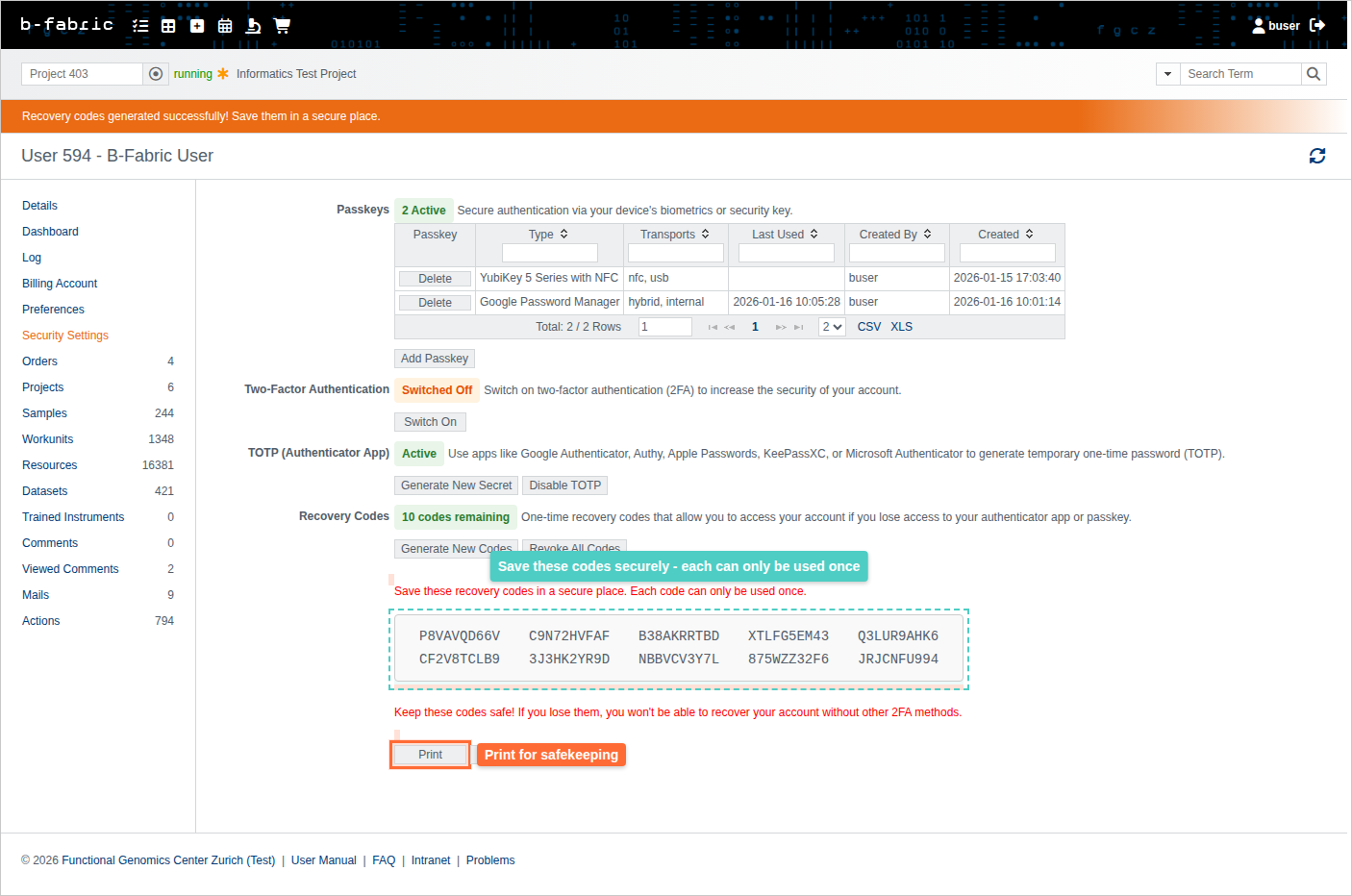
Important: You will not be able to see these codes again after closing this screen.
Use a Recovery Code
If you lose access to your passkey or authenticator app:
- Go to the B-Fabric login page and enter your username and password.
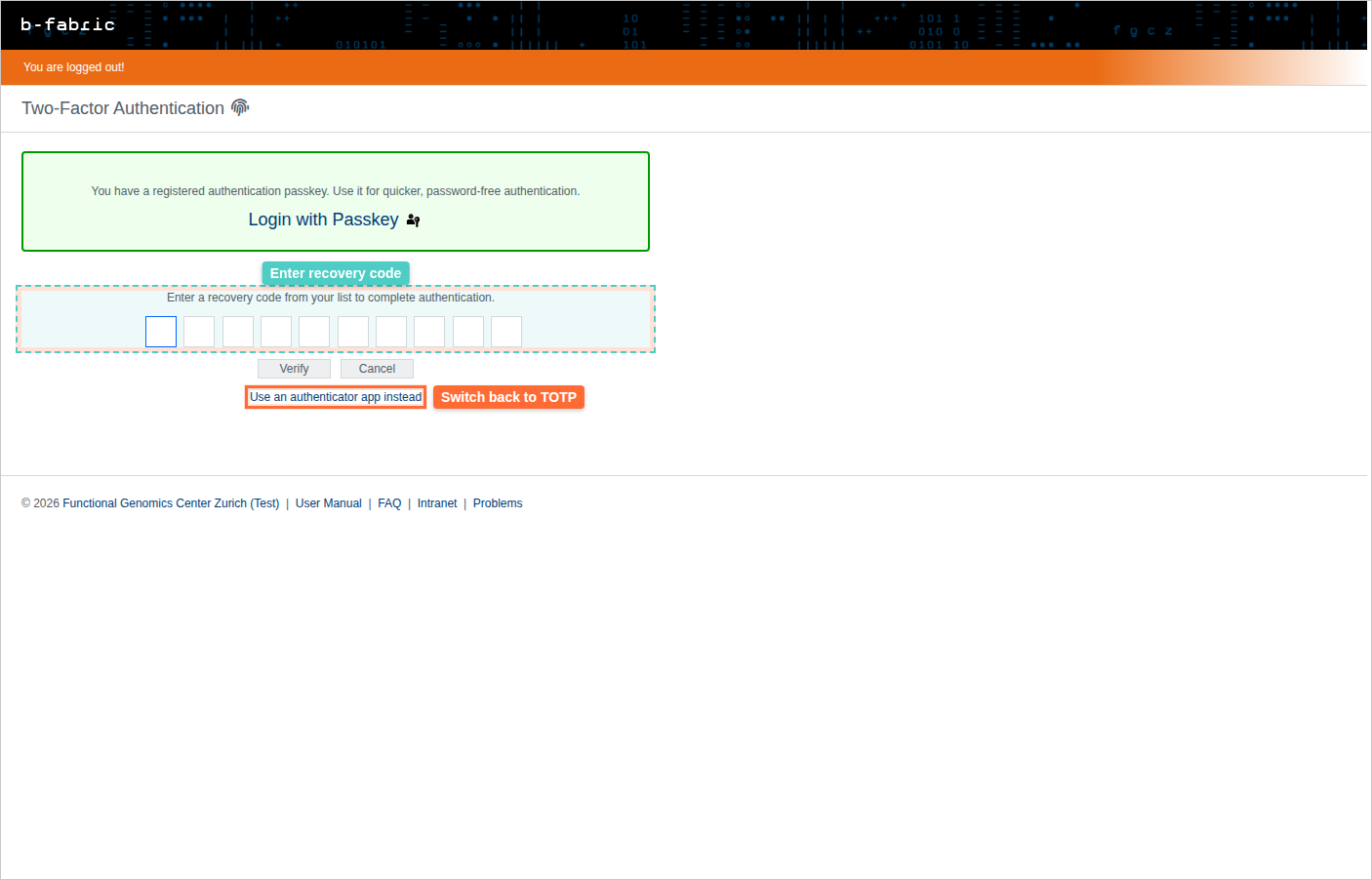
- On the 2FA authentication page, click the "Use recovery code instead" link.
- Enter one of your backup recovery codes that you saved when you set up 2FA.
- Click Verify or press Enter.
- You'll be logged in using your recovery code.
Note: Each recovery code can only be used once. After using recovery codes, immediately add a new passkey or reset your authenticator app, and generate new recovery codes.
You can check how many codes remain in the Recovery Codes section of your profile.
Revoke All Recovery Codes
If you believe your recovery codes may have been compromised:
1. Navigate to your user profile and click the 'Two Factor' tab.
2. Under 'Recovery Codes', click 'Revoke All Codes'.
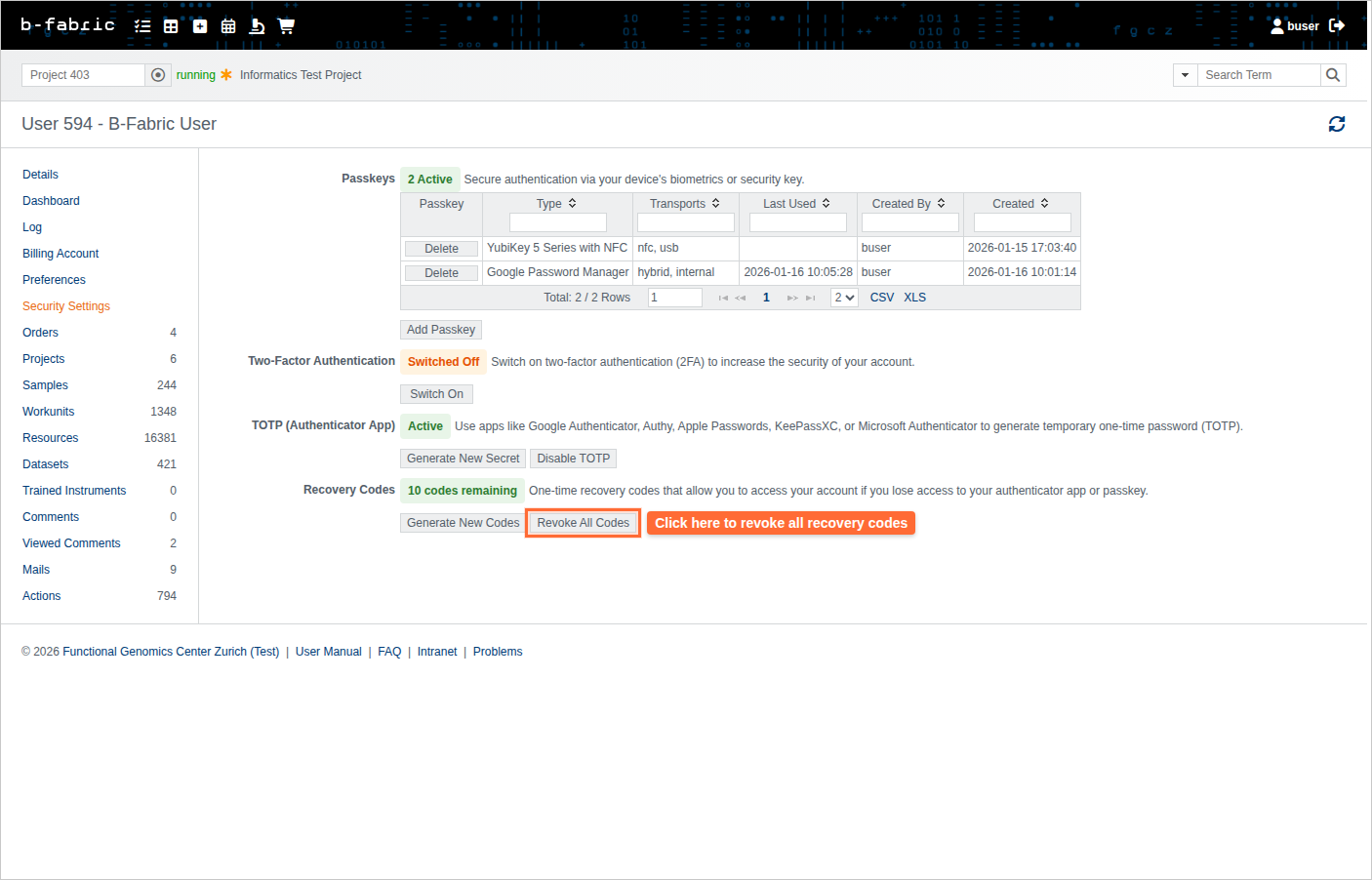
3. Confirm the action. All existing recovery codes will be invalidated immediately.
Note: You cannot revoke recovery codes if they are your only 2FA method.